Activity and task tracking template
Analyse the number of hours worked per task, per resource, and per day
Download this Excel PivotTable template
Theme : KPIFeatures
- Conditional formatting
- Tasks
- Human resources
- Segment : Date
- Sum
- Hours : Dat_Hours
Tracking activities and tasks is essential to ensure the proper coordination of a team, optimize time management and meet deadlines. To help you effectively track your workload and priorities, we provide you with a downloadable Excel template that allows you to centralize and analyze all your data in a few clicks.
What is an activity and task tracking template?
An activity and task tracking template is a structured tool, often in the form of an Excel spreadsheet, that allows you to organise, track, and analyse the progress of tasks assigned to resources.
Why use this Excel report?
This report template allows you to easily analyse the number of hours worked by activity, resource, and day. This report can be tailored to your schedule, including custom fields specific to your business, customer data, resources, projects, and more.
What's in this Excel template?
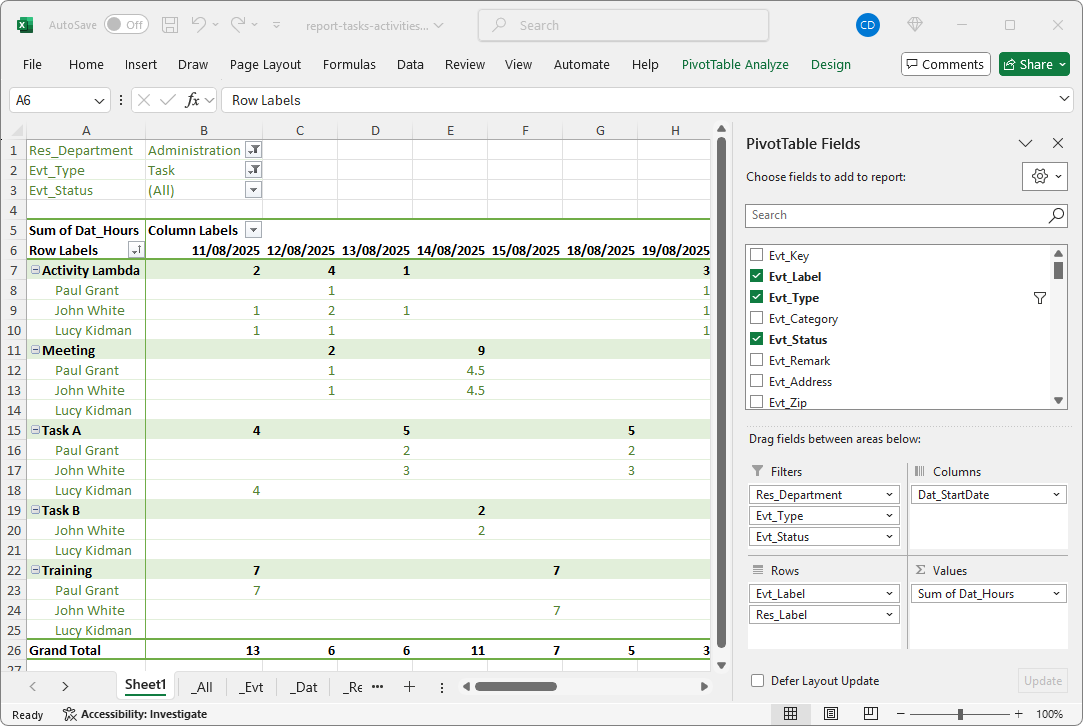
Here are the different data contained in this Excel Pivot Table Template:
Values
- Sum of hours : [Date_Hours]
Rows
- Tasks : [Evt_label]
- Human resources : [Res_label]
Columns
- Date : [Date_StartDate]
Filters
- Department : [Res_Department]
- Event type : [Evt_Type]
- Event status : [Evt_Status]
Now you are ready to use this activity report template and adapt it to your needs. A variety of Excel files are available in our template library. It's up to you!
Generate the Excel activity tracking report from PlanningPME
This Excel report of time and activities was generated directly from the PlanningPME software. All schedule data and statistics, including resources, services, tasks, and hours, can be retrieved at regular intervals.
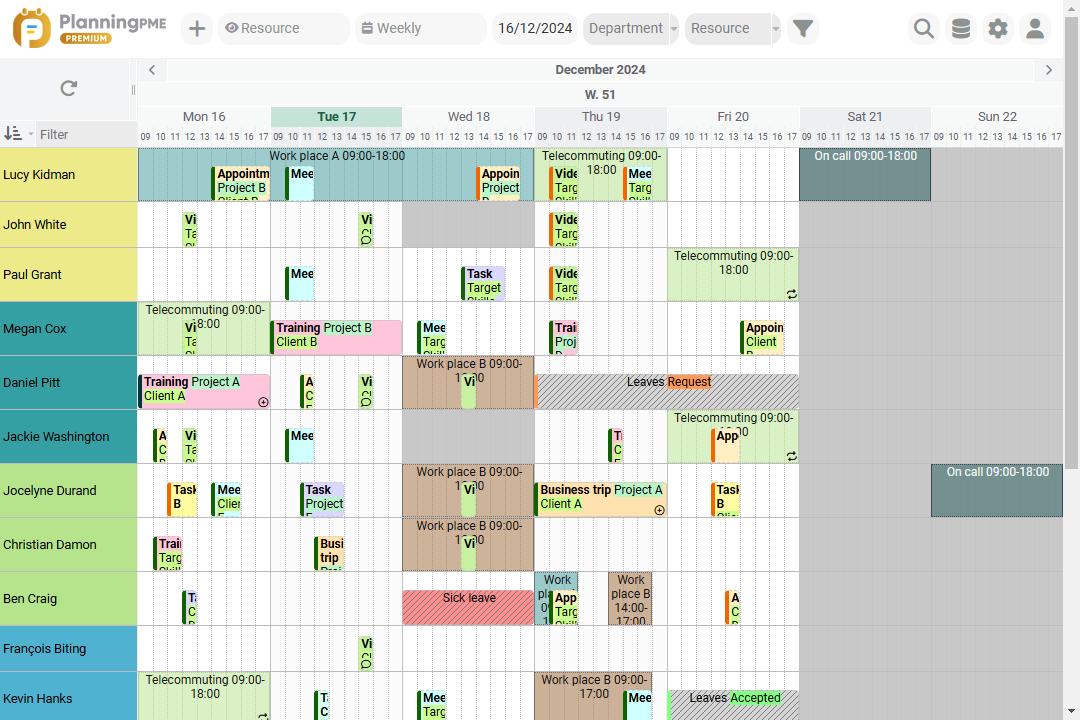
Create this Excel report with PlanningPME
Who uses this report on the number of hours worked per activity?
The activity tracking report is used by various roles in the company for different purposes:
- Managers and team leaders : Tracking the overall progress of activities by team
- Senior management : General and summary overview of the tasks performed by employees and different departments
- Planners : Optimize resource utilization based on data analysis
- Accounting : Preparation of invoices and payslips according to the hours worked
Of course, the activity report can be different depending on the role you play in the company: this is why adapting the report to bring out important tasks and information allows you to have a clear and targeted vision of each person's objectives.
Save time by starting from an activity and task tracking template and update it in a few clicks by generating it from the PlanningPME Web application or by integrating it with an ERP or project management software.